
How to add your Moodle calendar to Google Calendar (and keep it in sync)
Your course deadlines live in Moodle. Your week lives in Google Calendar. If you check both, sooner or later a quiz date slips through the gap.
Moodle can publish your calendar as a link that Google Calendar reads. The setup takes a few minutes, but the export form asks two questions, and the default answer to one of them limits your calendar to about two months. This guide walks through the form, the three ways to use the link, and the problems students hit most.
The short version
- In Moodle, open the Calendar (from the main menu or the user menu, depending on your school’s theme).
- At the bottom of the calendar page, click Import or export calendars, then Export calendar.
- Under Events to export, choose All events.
- Under Time period, choose the longest range offered (see below).
- Click Get calendar URL and copy the link that appears.
- On a computer, open Google Calendar. Next to Other calendars, click + and choose From URL. Paste the link and click Add calendar.
Button names above are from Moodle 4.x and 5.x. Older sites show an Export calendar link directly under the calendar, and some school themes move it. Moodle’s Calendar export page still shows older labels such as “Get URL address”.
The two choices on the export form
Events to export
Moodle offers All events, Events related to categories, Events related to courses, Events related to groups and My personal events. Pick All events. The others each leave something out.
There is no option for a single course. As Moodle’s documentation puts it, the URL covers all the courses you are enrolled in. If you want one course per Google calendar, you will need to filter on the Google side instead.
Time period
This is the setting that causes the most “missing assignment” questions. The choices usually include This week, This month, Recent and next 60 days and, if your school allows it, a Custom range with dates written next to it. Some choices only appear on certain days.
Two things are worth knowing:
- The range moves with time. The link does not store fixed dates. Each time Google opens it, Moodle works out the range again from that day. “This month” always means the current month.
- “Recent and next 60 days” is the default. In Moodle’s code it means the last 5 days and the next 60. A final exam in 10 weeks will not be in your feed until it is 60 days away.
If Custom range is offered, choose it. On a default Moodle install it covers 5 days back and 365 days ahead, but your school’s administrator can set other values, so check the dates printed next to the option.
What the link looks like
A Moodle calendar link looks roughly like this:
https://moodle.yourschool.edu/calendar/export_execute.php?userid=12345&authtoken=1a2b3c...&preset_what=all&preset_time=custom
Unlike many calendar links, it does not end in .ics, and that is fine. The
preset_what and preset_time parts are the two choices you made, so you can
check them at a glance. The authtoken part is what lets Google read your
calendar without logging in, which is why the link should stay private.
Three ways to get Moodle into Google Calendar
Option 1: subscribe with “From URL”
This is the method in the short version. Google Calendar stores the link and fetches it again from time to time. It is free, and it has limits:
- Slow updates. Google does not publish how often it re-reads a subscribed link, and you cannot change it. Moodle’s own docs note it can take several hours. In practice, a moved deadline can take hours to a day to show. We explain why in why your Google Calendar subscription is not updating.
- Read-only events. You cannot edit, move or add notes to them.
- Computer only for setup. Google requires a computer browser to subscribe to a calendar (Google’s help page). Once added, it shows in the phone app too.
Option 2: import a file once
On the same export page, the Export button downloads a file instead of making a link. You can import it in Google Calendar under Settings → Import & export. The events become editable, but they never update. When a teacher pushes a due date back, your calendar keeps the old one. Use this only for a schedule that will not change.
Option 3: sync the link into a calendar you own
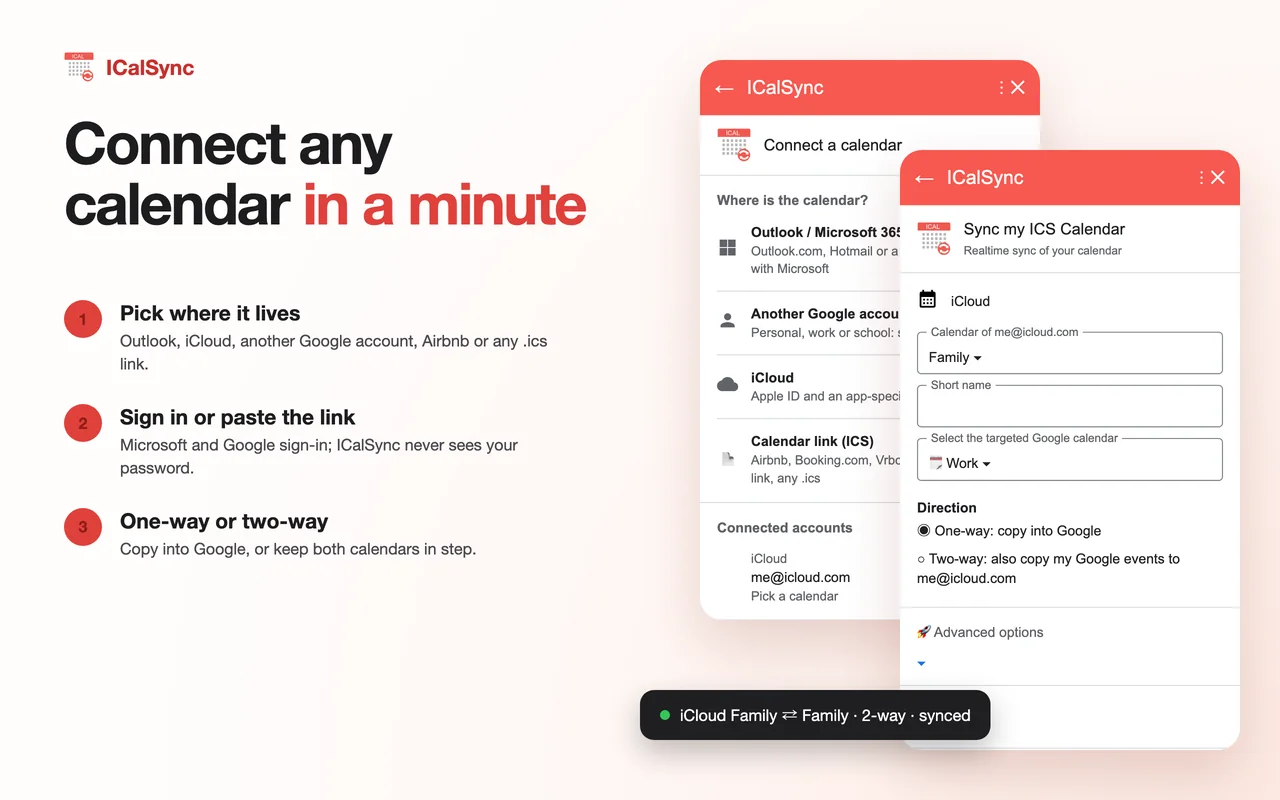
The third option keeps the Moodle link as the source, and copies its events into one of your own Google calendars, checking for changes every few minutes. New deadlines are added, moved ones move, deleted ones disappear.
This is what ICalSync does. It is a Google Workspace add-on that opens in the right-hand side panel of Google Calendar on a computer. The sync is one way: Moodle to Google. Changes you make in Google are not sent back to Moodle.
Side by side
| Subscribe (From URL) | Import once | Sync (ICalSync) | |
|---|---|---|---|
| New and moved deadlines | Hours to a day, on Google’s schedule | Never | Every 5 minutes on trial and Pro, 15 on Personal, or right away with Sync now |
| Edit, recolor or add notes | No | Yes | Yes |
| Set up from a phone | No | No | No (add-ons run on a computer) |
| Cost | Free | Free | 14-day free trial, then a paid plan; a free plan updates one calendar once a day |
Setting up the sync with ICalSync
- Install ICalSync from the Google Workspace Marketplace and open it from the right-hand panel of Google Calendar.
- There is no Moodle button. On the start card, under Something else,
pick Other calendar link (.ics). The hint mentions links that end in
.ics, but your Moodle link works there too. - Paste the Moodle calendar URL, give it a short name such as Moodle, pick the Google calendar the events should go into, and click Sync.
A separate Google calendar for Moodle is worth the extra minute (Other calendars → + → Create new calendar). It gets its own color and its own default reminder.
The 14-day trial starts when you connect your first calendar, not when you install, and it does not ask for a card. After that, Personal is $4/month or $39/year for 5 calendars, and Pro is $9/month or $86/year for 20.
What is not in the Moodle feed
Whichever option you choose, some things never reach Google:
- Anything outside the time period you picked when making the link.
- Activities without a date. An assignment with no due date or a quiz with no close date has no calendar event.
- Activities you cannot see in Moodle. The export skips events for activities that are hidden from you, for example a quiz your teacher has not opened yet or one with access restrictions. It appears once Moodle shows it to you.
- Real all-day events. Moodle has no all-day events. A due date is exported as a moment in time, such as 11:59 PM, with no length.
Fixing common problems
There is no export option
A Moodle administrator can turn calendar export off for the whole site, and the export links then disappear. A theme can also hide them. Nothing you change in your own settings brings them back, so ask your school’s Moodle support.
Deadlines a few months out are missing
Look at preset_time= in your link. If it says recentupcoming, the feed stops
60 days from today. Make a new link with Custom range if it is offered, and
replace the old one. If only short ranges are offered, the deadlines will
appear on their own as they come within range.
The link stopped working
The token in the link is built from your Moodle account. In standard Moodle, changing your Moodle password changes it, so the old link stops working. If you log in through your school’s single sign-on, this may not apply in the same way. An administrator can also invalidate every calendar link on the site at once. Either way, make a fresh link from Export calendar and replace the old one wherever you pasted it.
Times are off
Moodle sends each event as an exact moment, and Google shows it in Google Calendar’s time zone (Settings → General). If Moodle shows a different time, check the time zone in your Moodle profile. If you study from another country, make sure the Google setting matches where you are.
Every deadline appears twice
You probably added the link twice, once with From URL and once in a sync tool, or subscribed again after an earlier try seemed to fail. Remove the extra calendar under Other calendars and keep one.
Keep the link to yourself
Moodle’s docs point out that the link works without logging into the site. Anyone who has it can read your course names and the event descriptions it covers. Do not paste it in group chats or forums when asking for help. If you think it leaked, change your Moodle password if your school lets you, and make a new link.
Which option to choose
If you only glance at your calendar to see the week ahead, From URL is free and good enough. If you plan your work around deadlines, or your teachers move them often, the delay will catch you at some point, and a sync that checks every few minutes is worth it.
If you also have courses on Canvas, our guide to adding the Canvas calendar to Google Calendar covers its feed, which works a little differently. The ICalSync help pages walk through every setting.
Questions
How do I add my Moodle calendar to Google Calendar?
In Moodle, open the Calendar, click Import or export calendars at the bottom of the page, then Export calendar. Choose All events and a time period, click Get calendar URL and copy the link. On a computer, open Google Calendar, click the plus sign next to Other calendars, choose From URL, paste the link and click Add calendar.
Why is my Moodle calendar not syncing with Google Calendar?
Two common reasons. Google refreshes a From URL calendar on its own schedule, so a new or moved deadline can take hours to a day to appear. And if you chose Recent and next 60 days when you made the link, anything due later than 60 days from now is not in the feed yet.
I cannot find Export calendar in Moodle. Where is it?
Your school may have turned calendar export off. A Moodle administrator controls it with a single setting, and when it is off the export links do not appear. Ask your school's Moodle support whether calendar export is enabled.
Why did my Moodle calendar link stop working?
The link contains a token tied to your Moodle account. On a standard Moodle site, changing your Moodle password changes the token, and the old link then fails. An administrator can also reset every link at once. Make a new link from Export calendar and replace the old one.
Is the Moodle calendar URL private?
Treat it like a password. It works without logging in, so anyone who has it can read every event it covers, including course names and event descriptions. Paste it only into tools you trust.
Moodle deadlines in Google Calendar, minutes after they change
14-day free trial from your first calendar. No credit card.