
DutyDesk
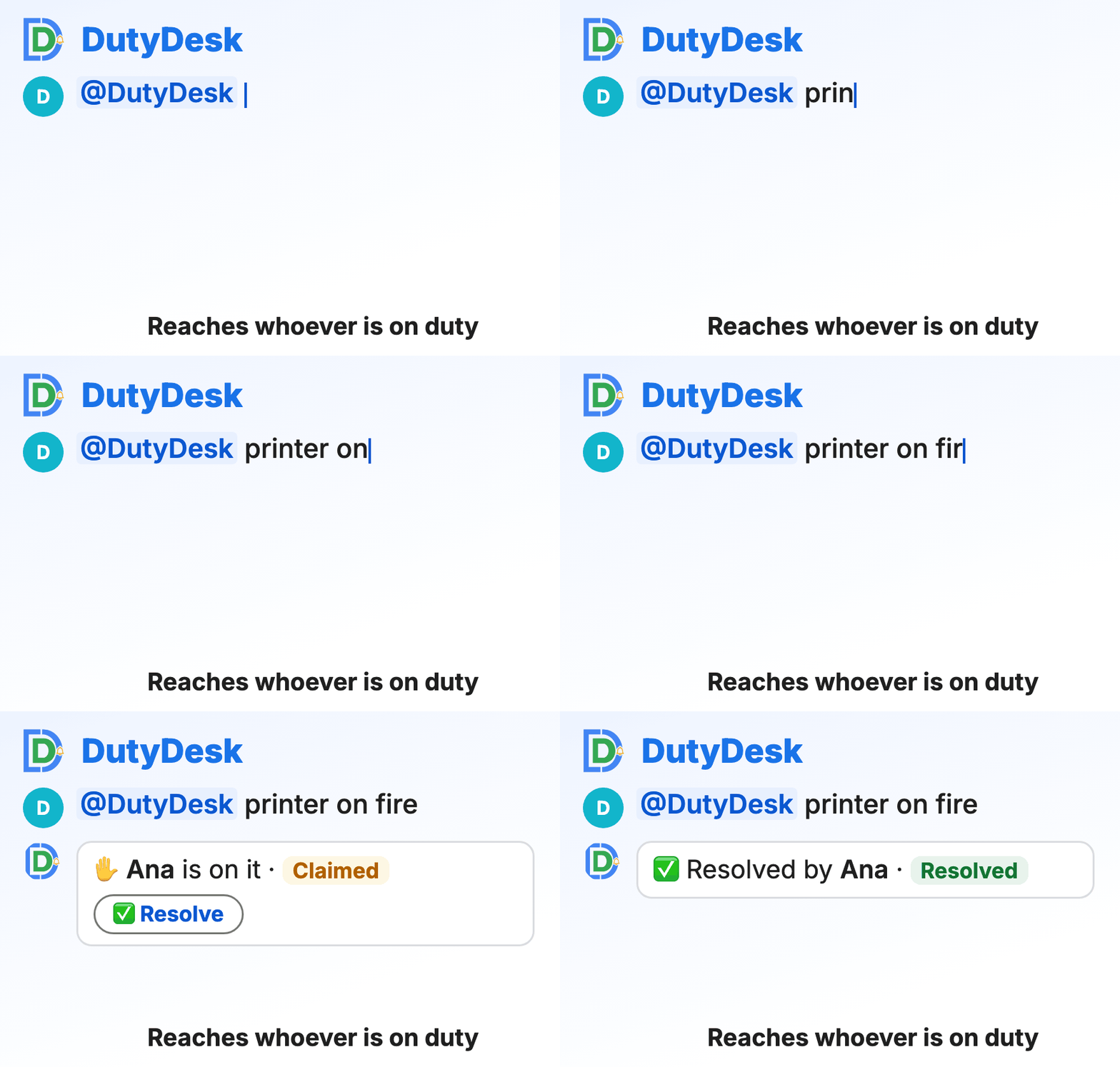
One @mention in Google Chat that reaches whoever is on duty.
Google Chat can't mention a group. DutyDesk can. It runs your on-call rotation inside the space your team already uses, posts every shift handoff, and turns each @DutyDesk into a request the person on duty can claim, reassign and resolve.
One handle for the whole rotation
@DutyDesk stands in for whoever is on duty this week. Nobody checks a spreadsheet, nobody pings the person who was on call last week.
No request left unanswered
Each mention becomes a card with Claim, Reassign and Resolve. Nobody claims it? DutyDesk mentions the person on duty again, then hands it to the next person.
Handoffs that run themselves
Daily, weekly or every two weeks, in your team's timezone. A heads-up the day before, then the handoff with the open requests carried over.
Holidays and covers, handled
Add your days off and you are passed over. Someone covers a few hours or days? Requests go to them, the rotation stays as it is.
In Gmail, Calendar and Docs too
A side panel shows who is on duty and lets you send a request without leaving your inbox. The rotation also comes as a Google Calendar feed.
Your language, one price per space
English, Español, Français, Português, Deutsch, Italiano and 日本語. $19 a month for up to 5 people, $39 for up to 20, after 21 days free.
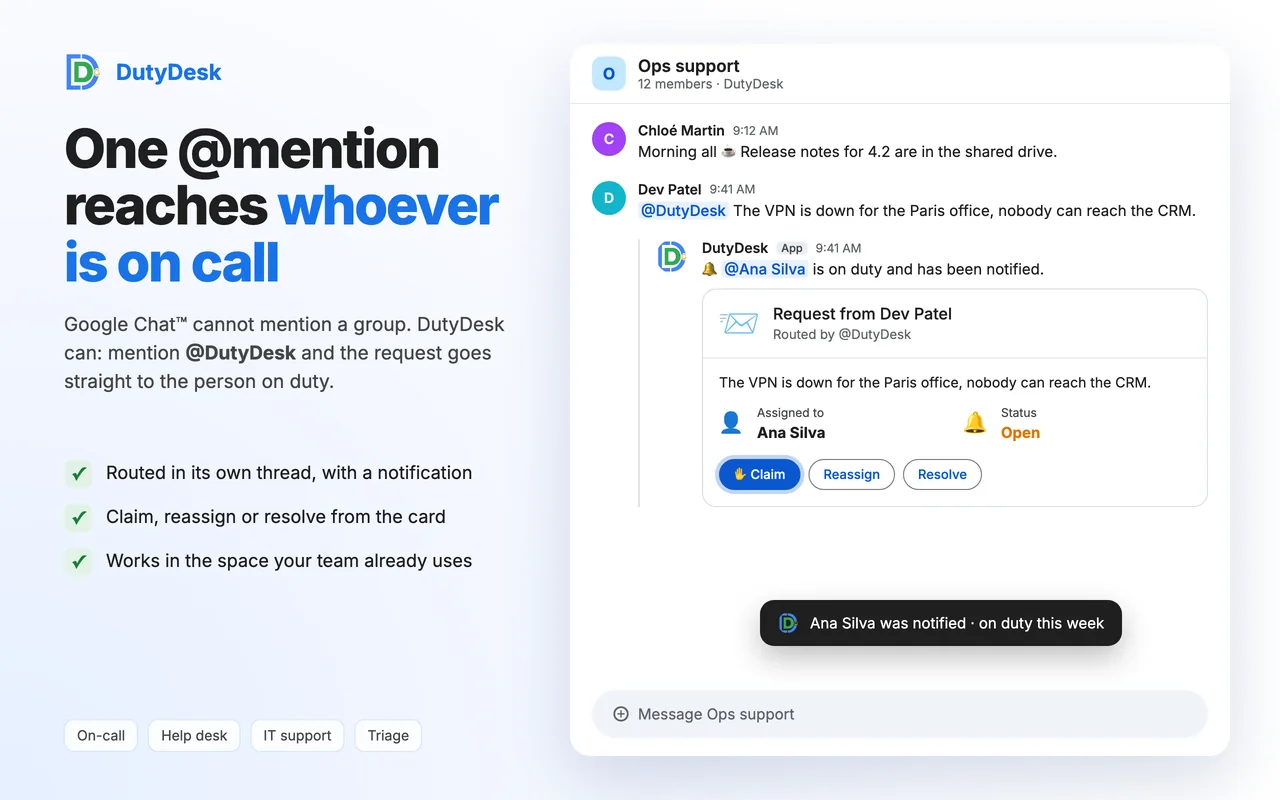
One @mention reaches whoever is on call
Write @DutyDesk with the problem, in the space you already use. DutyDesk answers in the thread with a request card and notifies the person on duty, so the help desk works without a ticketing tool.
- Works in any Google Chat space
- The person on duty is notified
- One thread per request
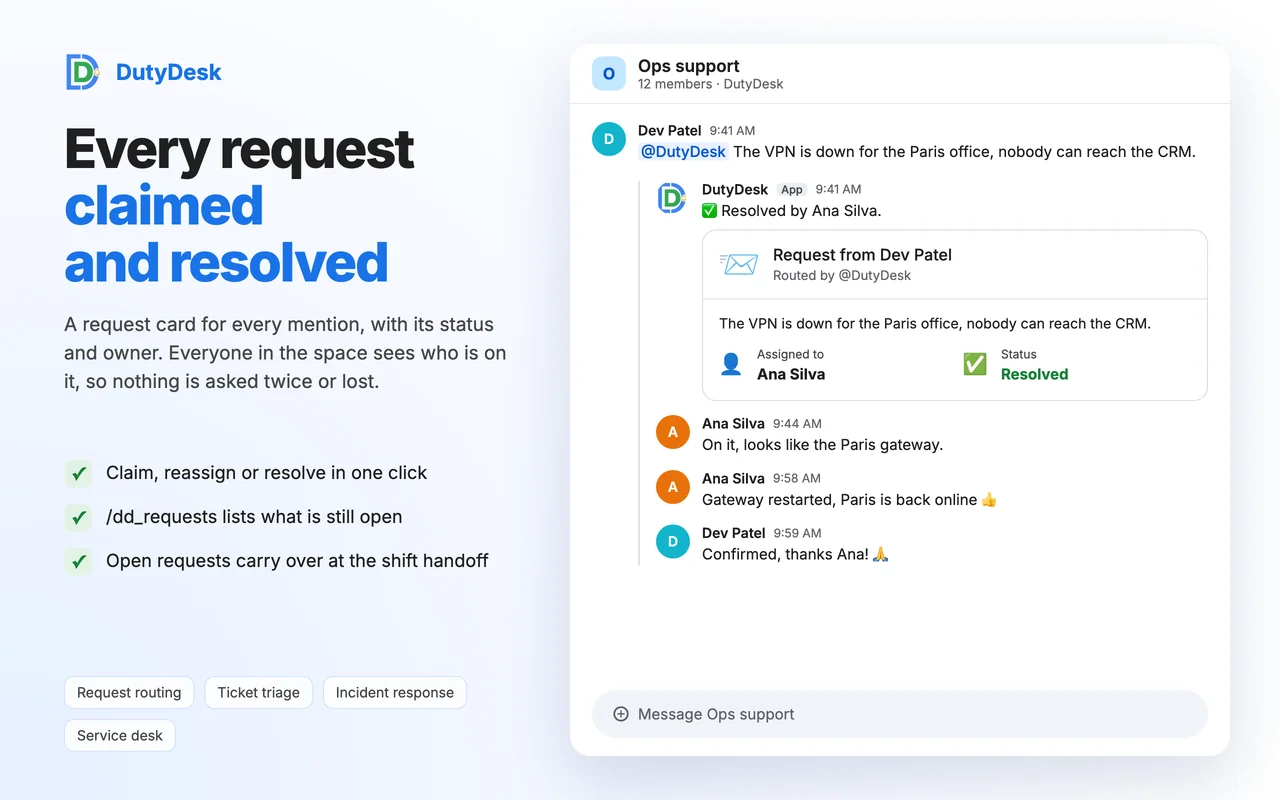
Claimed, reassigned, resolved, all on the card
The person on duty claims the request so everyone knows it is handled, hands it to a teammate when it isn't theirs, and resolves it when it's done. The card updates in place: no lost requests, no duplicate work.
- Claim with one click
- Reassign to anyone in the rotation
- /dd_requests lists what is still open
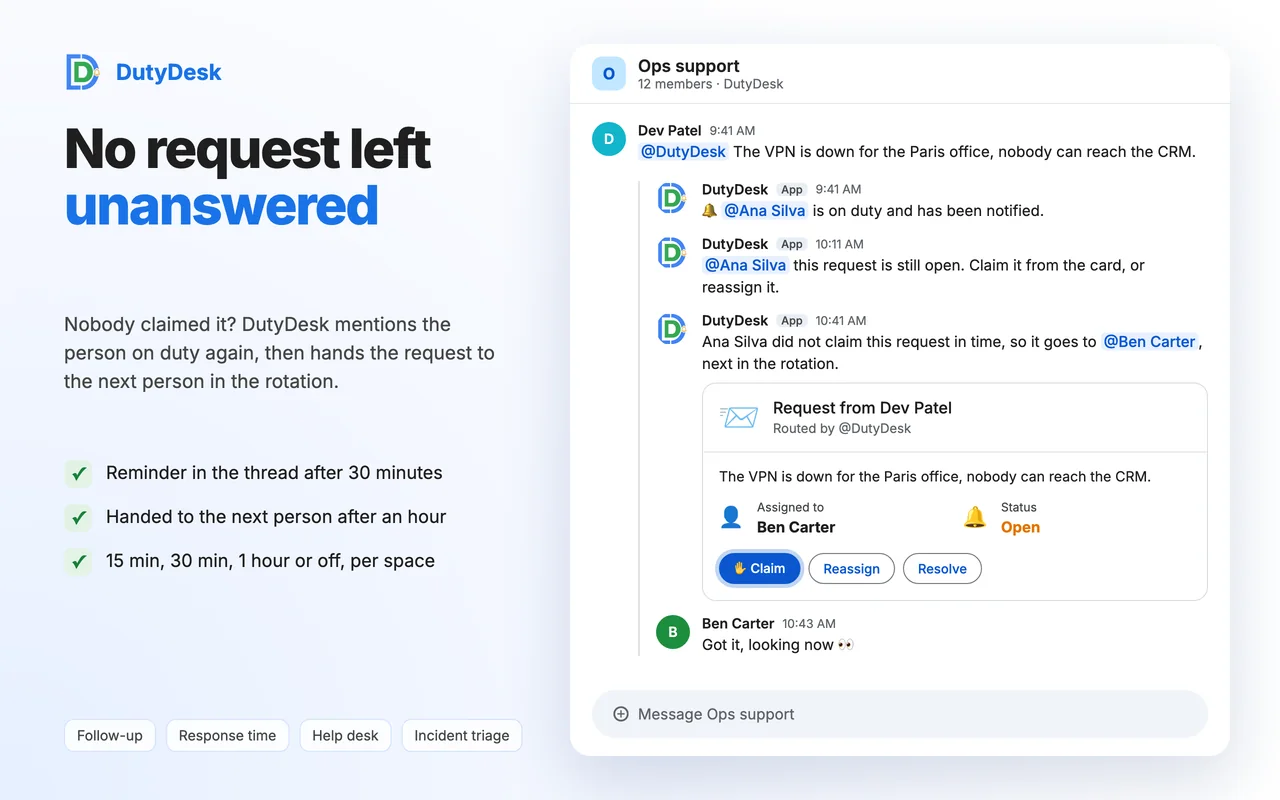
No request left unanswered
Nobody claimed it? After 30 minutes DutyDesk mentions the person on duty again in the thread. After an hour the request goes to the next person in the rotation, once.
- 15 min, 30 min, 1 hour or off, per space
- Handed on once, never around the whole team
- Reassigning restarts the clock
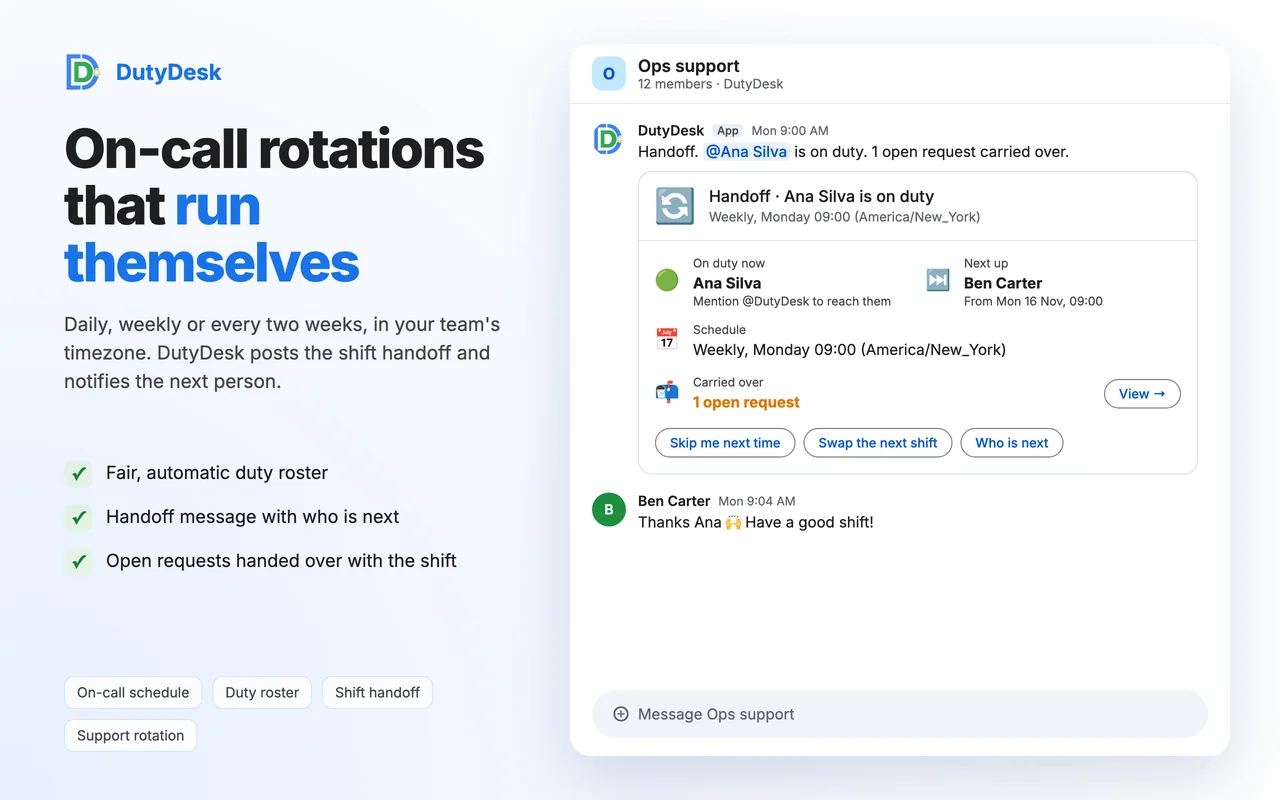
On-call rotations that run themselves
At each handoff DutyDesk posts who is on duty, who is next, and how many requests are still open. The day before, a heads-up mentions the next person, so there is still time to skip or swap.
- Daily, weekly or every two weeks
- Heads-up the day before
- Open requests carried over
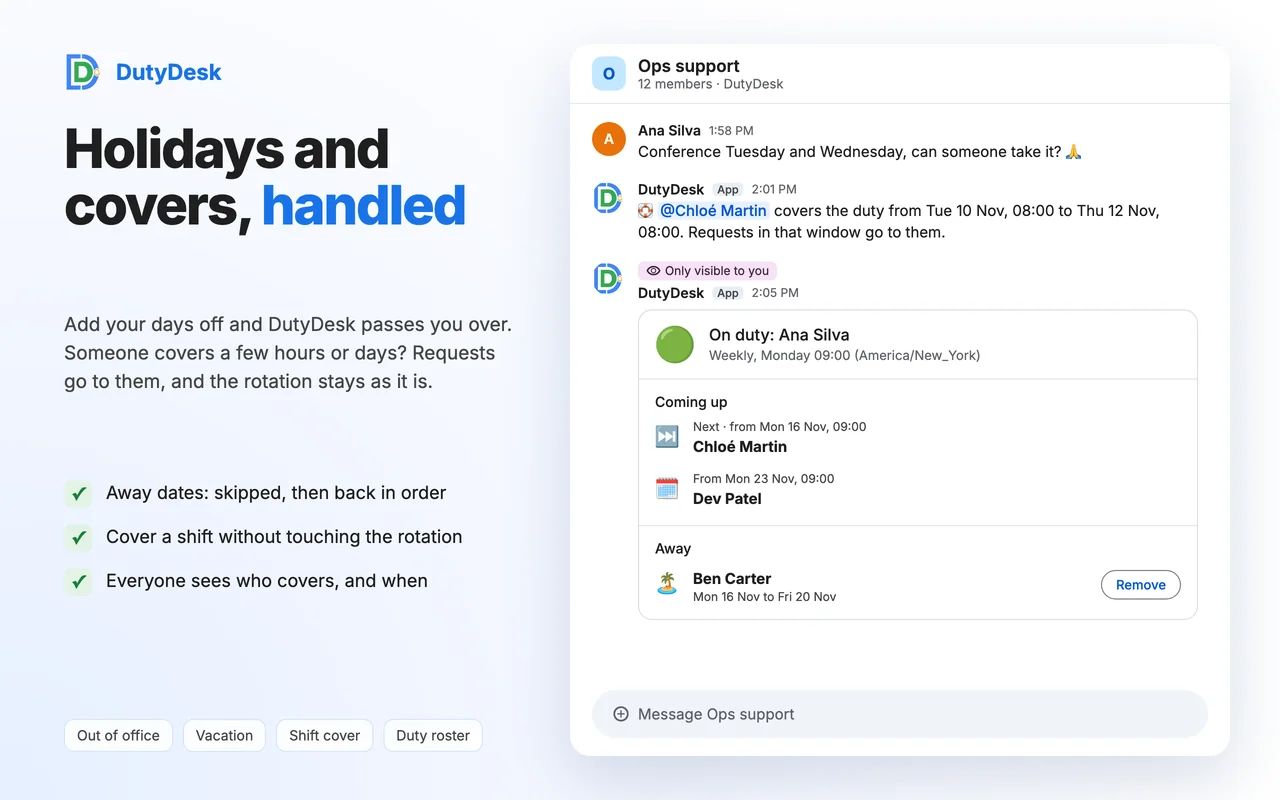
Holidays and covers, handled
Enter your days off and DutyDesk passes you over, then puts you back in the order. Someone covers a few hours or days? Requests in that window go to them, and the whole space is told.
- Away dates for yourself or a teammate
- Cover a shift without touching the rotation
- Skip or swap one shift in one click
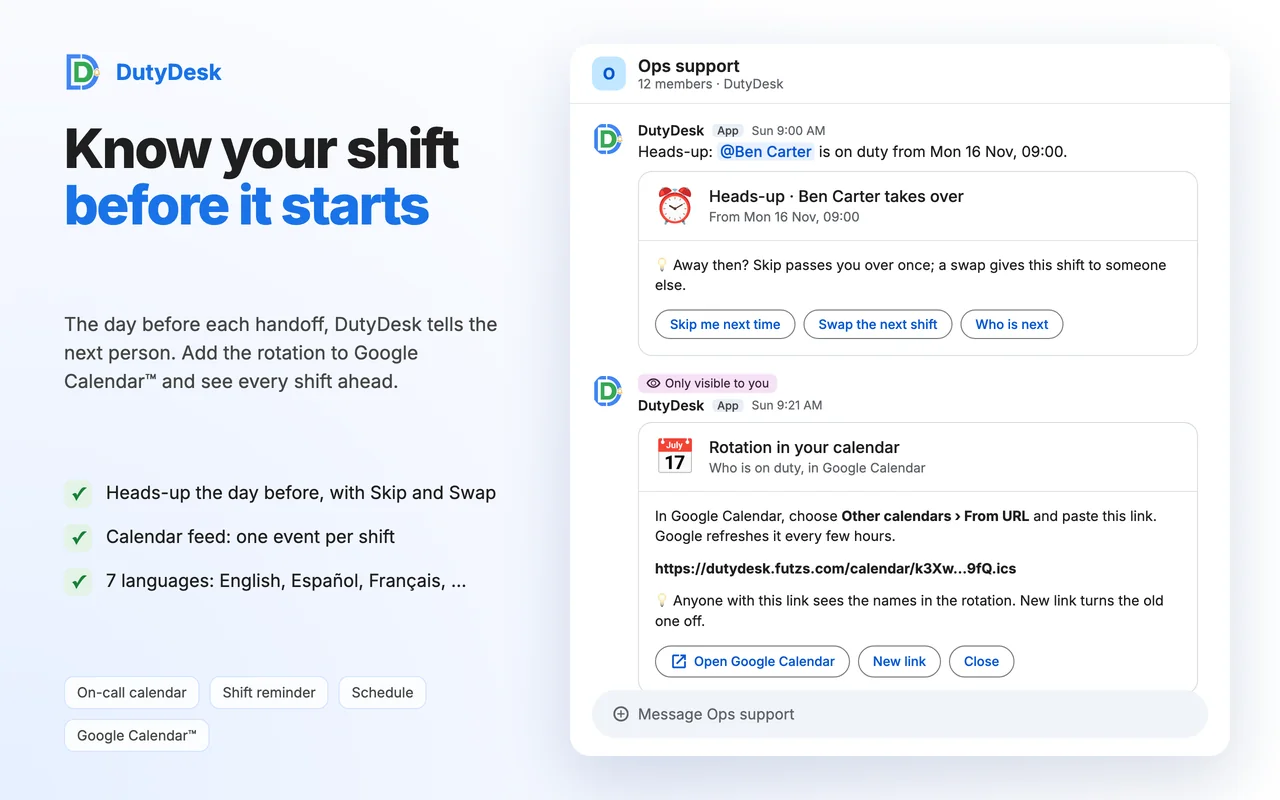
Know your shift before it starts
Add the rotation to Google Calendar from a private link: one event per shift for the next 90 days, people away included. The heads-up the day before has Skip and Swap on it.
- One event per shift
- Updated as the rotation changes
- New link turns the old one off
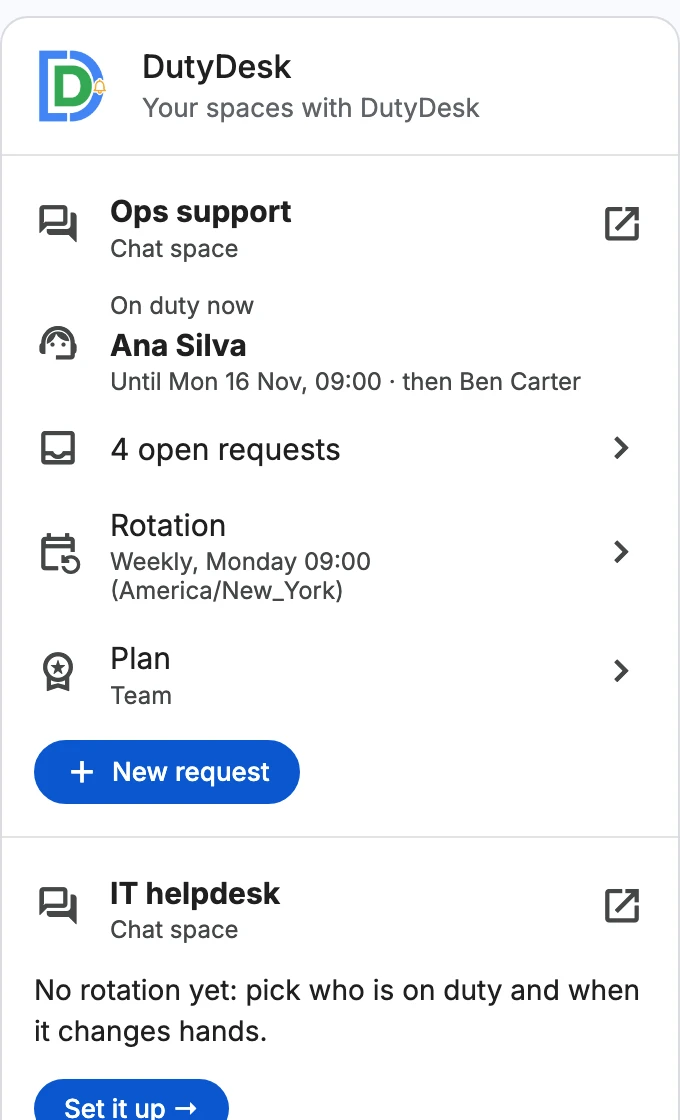
In Gmail, Calendar, Drive and Docs
Open DutyDesk in the side panel of Gmail, Google Calendar, Drive, Docs, Sheets or Slides: who is on duty in each of your spaces, the open requests, the rotation, and a New request button.
- Send a request without leaving your inbox
- Edit the rotation from any Google app
- Only knows who you are; no access to your emails or files
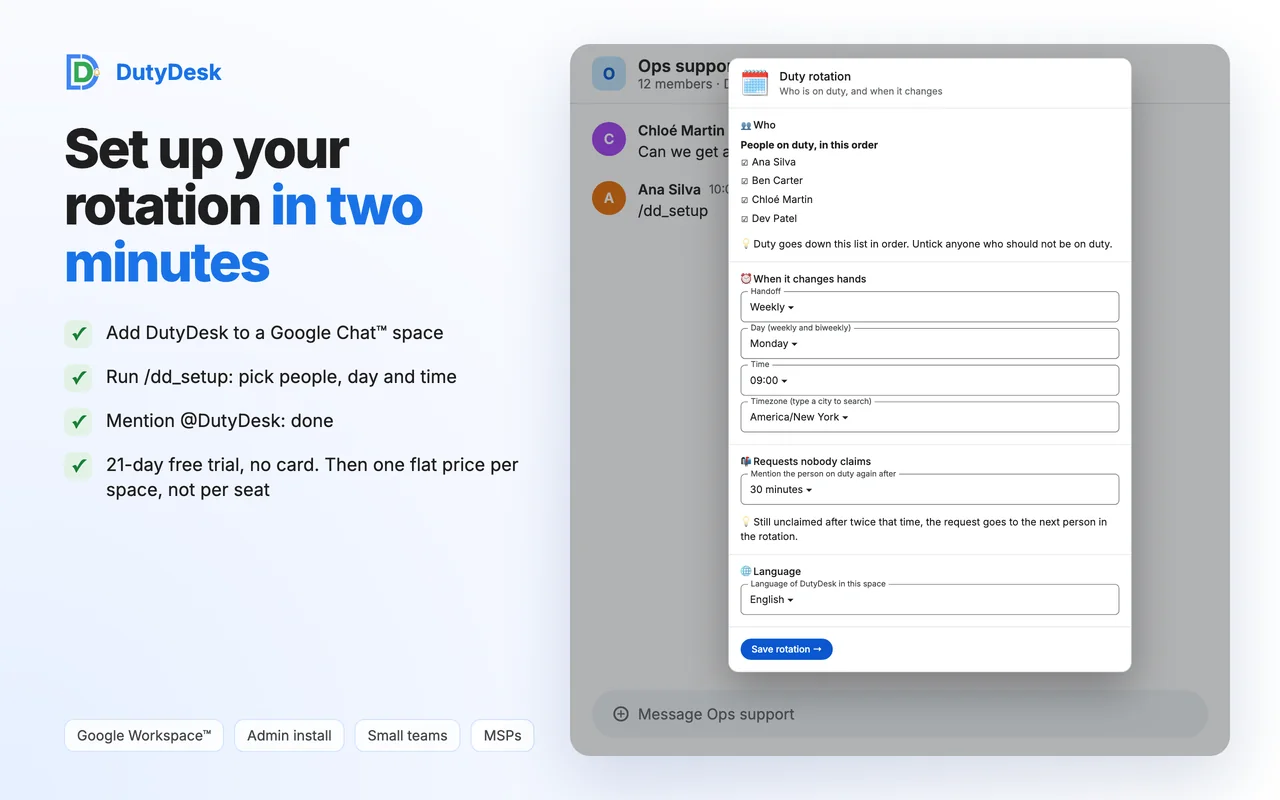
Set up your rotation in two minutes
Run /dd_setup, pick the people in the order they take the duty, choose when it changes hands, how long a request may wait, and the language of the space. No admin console, no extra accounts.
- People come from the space
- 7 languages
- 21-day free trial with no card
One flat price per space
Every space starts with a 21-day free trial with the Team limits, no card needed. Prices in USD; customers in the EU pay the same amounts in EUR. Payments are handled by Polar, our merchant of record, which also takes care of VAT and sales tax.
Small
$19/month
or $190/year (2 months free)
For a small team sharing the duty.
- One Chat space
- Up to 5 people in the rotation
- Unlimited requests
- All features
Team
$39/month
or $390/year (2 months free)
For a support or IT team with a real on-call rotation.
- One Chat space
- Up to 20 people in the rotation
- Unlimited requests
- All features
How it works
Add DutyDesk to a space
The Google Chat space your team already uses for requests. DutyDesk posts a short checklist.
Run /dd_setup
Pick the people, the cadence, the handoff time, the follow-up delay and the language.
Mention @DutyDesk
The request reaches the person on duty, who can claim it, hand it on or resolve it from the card.
Before you install
Does DutyDesk read our messages?
No. A Chat app only receives the messages that mention it, the commands sent to it and the buttons pressed on its cards. It acts as an app with the chat.bot permission and never asks for access to your Gmail, Drive, Calendar or other Google data. The side panel only learns who opened it.
Who sees the request cards?
Request and handoff cards are posted in the space, so its members see them like any message. Your /dd_duty card, plans and confirmations are private.
What if nobody claims a request?
After 30 minutes DutyDesk mentions the person on duty again in the thread; after an hour the request goes to the next person in the rotation, once. Change the delay or turn it off in /dd_setup.
What about holidays?
Enter the first and last day away from /dd_duty, for yourself or a teammate. DutyDesk passes that person over at every handoff that touches those days. For a few hours or days, Cover a shift sends requests to someone else without changing the rotation.
Can I see the rotation in Google Calendar?
Yes: /dd_duty › Add to calendar gives a private link to subscribe to in Google Calendar. Anyone with the link sees the names in the rotation; New link turns the old one off.
Is there a free trial?
Yes. Every space gets 21 days with the Team limits, no card needed. DutyDesk reminds the space before the trial ends.
What happens when the trial ends without a plan?
Nothing is deleted. The space becomes read only, /dd_duty still answers, but new requests are not routed and handoffs are not posted until the space subscribes.
Is it an incident or emergency tool?
DutyDesk routes requests and notifies the person on duty through Google Chat. It is not a monitoring or emergency service, so keep your phone tree for real emergencies.
Which languages does it speak?
English, Spanish, French, Portuguese (Brazil), German, Italian and Japanese. A new space starts in the language of whoever adds DutyDesk; /dd_setup changes it.
How do I cancel?
/dd_help › See plans › Manage subscription, or the link in Polar's receipt. The plan stays active until the end of the period already paid, and payments are refunded in full within 14 days.
Add DutyDesk to your workspace
Install from the Google Workspace Marketplace, then 21 days free. No card needed to start.