
How to sync your Airbnb and Booking.com calendars with Google Calendar
If you list the same place on Airbnb and Booking.com, you have two calendars that both think they are in charge. A guest books on one, and until the other finds out, those nights are still for sale there. Most hosts also want all of it in Google Calendar, next to the cleaner’s schedule and their own life.
Every major channel can share its calendar as a link in the iCalendar format
(.ics). Those links are how the channels talk to each other and how Google
Calendar reads them. This guide shows where each link lives, the three ways to
use them, and what each way leaves uncovered.
The short version
- Copy the calendar export link of each channel your place is listed on.
- To see bookings in Google Calendar: on a computer, add each link with Other calendars → + → From URL. Free, but slow to update.
- To block dates: paste Airbnb’s link into Booking.com’s import setting, and Booking.com’s link into Airbnb’s. This is the standard way to avoid double bookings, and it still leaves a gap of up to a few hours.
- To do both faster, a sync tool such as ICalSync reads the links every few minutes and gives each channel one link to import back.
Where each channel keeps its calendar link
Airbnb. On a computer, click Calendar and select the listing, then Availability. Under Connect calendars, click Connect to another website. The Airbnb calendar link is the export; the calendar address field on the same screen is where you import another channel’s link (Airbnb’s help article). Each listing has its own link.
Booking.com. In the extranet, open Rates & Availability → Sync calendars. You add a calendar connection there, which gives you Booking.com’s export link and a field to import another channel’s link (Booking.com’s calendar sync page).
Vrbo. In the Owner Dashboard, open Calendar, then Settings and the Availability tab, choose Connect calendars and Export calendar, then Copy URL (Vrbo’s export guide). Leave Include tentative bookings off when the link goes to another booking site, as Vrbo itself advises.
Option 1: subscribe in Google Calendar with “From URL”
On a computer, open Google Calendar, click + next to Other calendars, choose From URL, paste a channel link and click Add calendar. Repeat for each channel. You cannot do this from the phone app (Google’s help page), but once added, the calendars show on your phone too.
It is free and takes a minute per link. The limits:
- Slow updates. Google does not publish how often it re-reads a subscribed link, and you cannot make it go faster. A new booking can take several hours to a day to appear. We explain why in why your Google Calendar subscription is not updating.
- Read-only. You cannot add a note such as “late arrival, key in the box” to a booking event.
- It blocks nothing. Google Calendar only displays the bookings. Airbnb and Booking.com never see it.
- Guest details vary. What an event contains depends on the channel. Some exports show little more than “Reserved” or “Not available”; others may add a reservation link or part of the guest’s contact details. Open a few events and check before you share that Google calendar with anyone.
Option 2: let the channels import each other
This is the method each channel describes, and the one that actually blocks dates. You paste Airbnb’s export link into Booking.com’s import field, and Booking.com’s export link into Airbnb’s. With Vrbo as a third channel, each channel imports the other two.
It is free, and it works, with one catch: each channel re-reads the links it imports on its own schedule.
- Airbnb says your calendar updates automatically every 3 hours and pulls in your connected calendars. You can select Refresh on a connected calendar to go sooner, but Airbnb limits how many refresh requests you can make.
- Booking.com does not refresh imported calendars in real time either, and hosts in its partner community report delays of a few hours. It does not offer a guaranteed interval.
- Vrbo says imported events may take up to 20 minutes to appear when you add a calendar, and that calendars sync every 30 minutes in its Owner app.
So when a guest books on Booking.com, Airbnb may keep those nights open for up to three hours. If another guest books the same nights on Airbnb in that window, you have a double booking. It is more likely on busy dates, which is exactly when it hurts most. No calendar link closes this window completely.
There is a second limit worth knowing. Airbnb notes that nights booked on another calendar are blocked on Airbnb, while nights you only block on another calendar may or may not be. Do not count on a manual block on one channel reaching the others.
Option 3: sync everything through ICalSync
ICalSync is a Google Workspace add-on that runs in the right-hand side panel of Google Calendar on a computer. It reads your channel links every 5 minutes and copies the bookings into Google calendars you own, for example one calendar per property or per channel.
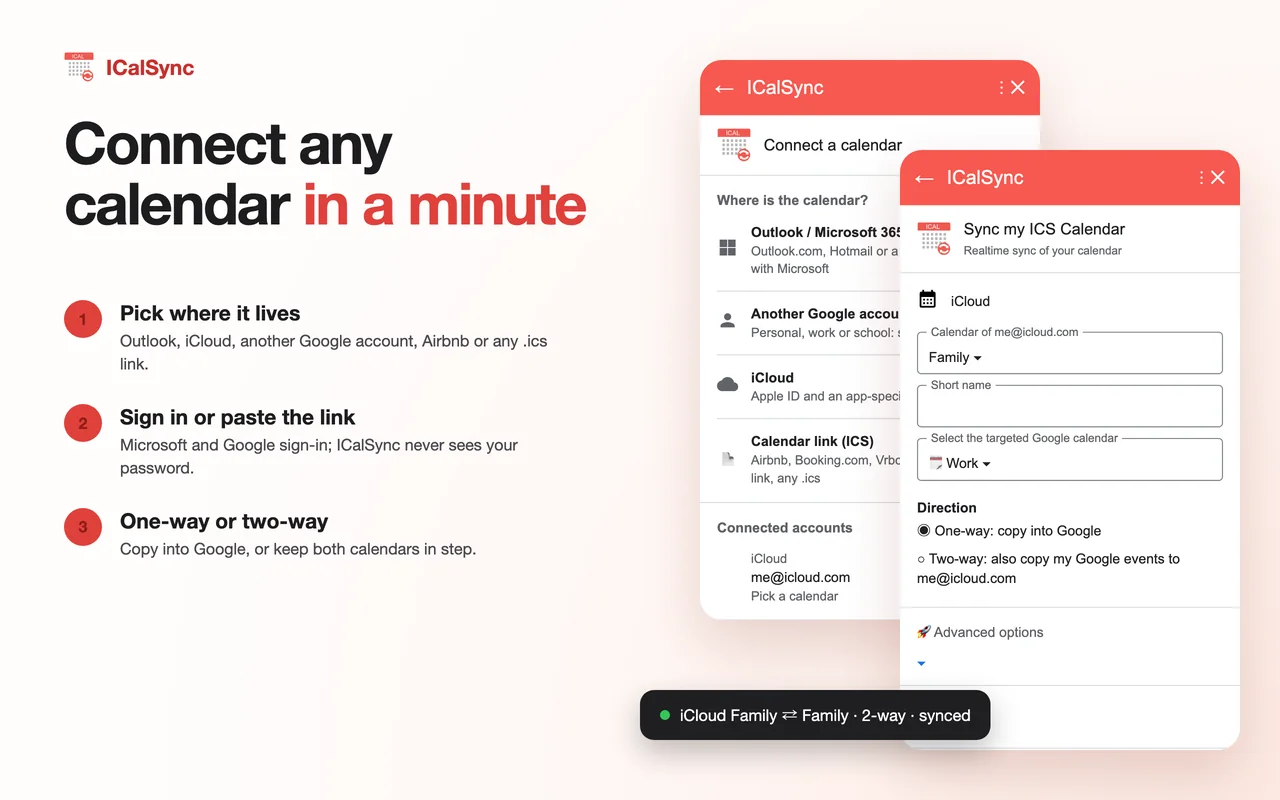
On its start card, the Rentals group lists Airbnb (Bookings and blocked dates), Booking.com and Vrbo (Reservations calendar). Each opens a form where you paste the channel’s link, give it a short name and choose the Google calendar it lands in, then click Sync. ICalSync recognizes channel links and by default hides guest details: no titles, descriptions, locations or attendees, events marked private, and no notifications.
For blocking dates, ICalSync groups the channels of one place into a rental property and gives you one export link per channel. You paste the link labelled Paste in Airbnb into Airbnb’s import setting, Paste in Booking.com into Booking.com, and so on. A booking on one channel then blocks those dates on the others. If two bookings ever overlap, ICalSync e-mails you a warning and shows Double booking found on its home card, so you can sort it out with the guest before arrival day.
What this does not change: Airbnb and Booking.com still read the ICalSync link on their own schedule. ICalSync sees a new booking within 5 minutes, but it cannot make Airbnb read faster. You get one place where every booking shows up quickly, and an alert when the window catches you.
Side by side
| Subscribe (From URL) | Channels import each other | Sync (ICalSync) | |
|---|---|---|---|
| Bookings in Google Calendar | Hours to a day | No | Every 5 minutes, or right away with Sync now |
| Blocks dates on other channels | No | Yes, on each channel’s schedule | Yes, on each channel’s schedule |
| Double-booking warning | No | No | E-mail and a notice on the home card |
| Guest details in Google Calendar | Whatever the channel exports | Not applicable | Hidden by default |
| Cost | Free | Free | 14-day free trial, then a Host plan from $12/month |
Setting up a rental property in ICalSync
- Install ICalSync from the Google Workspace Marketplace and open it from the right-hand panel of Google Calendar.
- Under Rentals, pick the channel, paste its export link, name it (for example Lake house · Airbnb) and choose a Google calendar. Click Sync. Repeat for each channel.
- On the home card, open Rental properties, add the property and tick its channel calendars.
- Under Export links, copy Paste in Airbnb into Airbnb’s import field, Paste in Booking.com into Booking.com’s, and so on. Name each import ICalSync so you recognize it later.
- Keep any direct imports between channels you set up earlier. A night blocked twice is still one blocked night, and the direct imports keep working on their own if you ever stop using ICalSync.
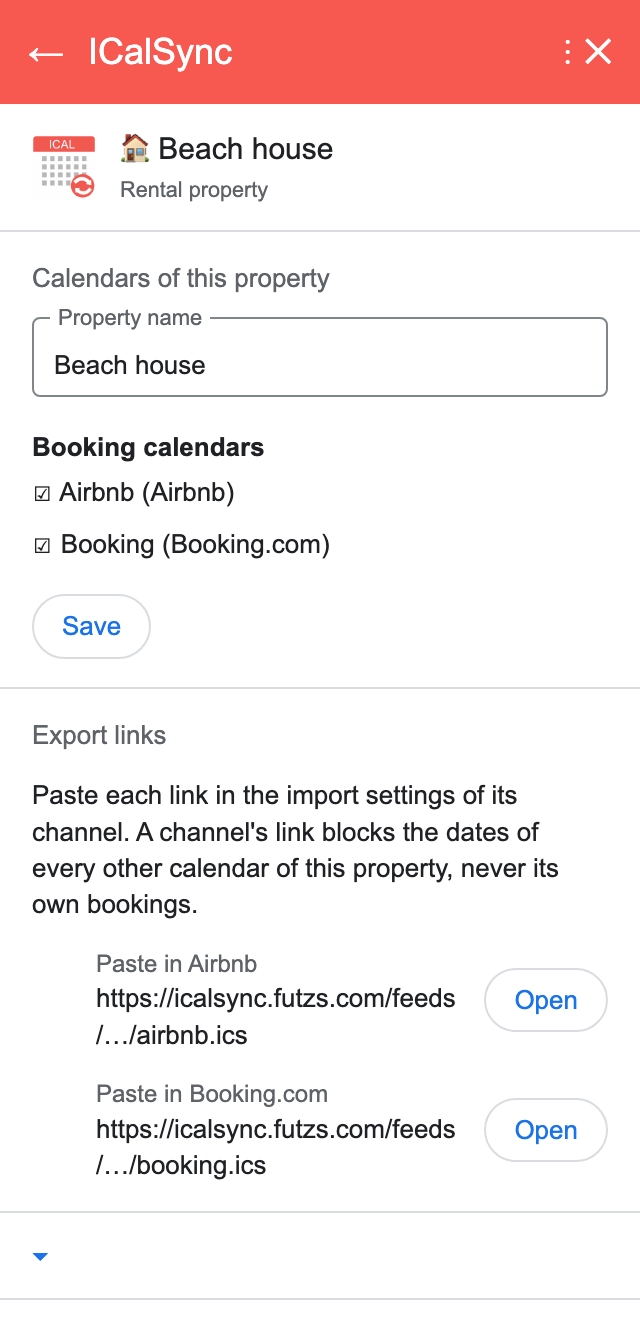
The rental properties help section lists the export and import screen for each channel, Expedia included.
The 14-day trial starts when you connect your first calendar, includes 3 properties and does not ask for a card. After that, Host plans cover 3, 10 or 25 properties for $12, $33 or $78 per month, or $115 per year for 3 properties.
Fixing common problems
The link was copied from the wrong page
A link to your listing page or to the extranet will not work. A calendar link
ends in .ics or contains ical or icalendar. Copy it again from the
calendar sync screen, not from the browser’s address bar.
Blocked nights show up as bookings, or bookings are missing
Channel exports usually mix real bookings with nights you closed by hand, and some show both the same way. That is fine for blocking, but it means a “Not available” event in Google Calendar is not always a guest. Check the channel itself before you schedule a cleaning.
A stay ends one day early
Booking calendars describe the nights a guest stays, and in the iCalendar format the end date of an all-day event is exclusive: it is the first day after the event. A guest who arrives on August 21 and checks out on August 25 is written as 21 to 25, and Google Calendar shows it as an event from August 21 to August 24, the last night. Nothing is missing. August 25 shows as free because the next guest can arrive that day.
Dates are shifted by a day
Bookings are all-day events and should not move with time zones. If they do, check the time zone set for the listing on the channel and Google Calendar’s own time zone under Settings → General.
An import stopped updating
If a channel shows an old date for its last update, or reports an error, the link may have changed. This happens when you regenerate a link or relist a place. Copy a fresh export link and replace the old import.
Every booking appears twice
You probably have the same link in Google Calendar twice, once with From URL and once through a sync tool. Remove the extra calendar from Other calendars and keep one.
Keep the links to yourself
Calendar links work without a password. Anyone who has one can read that listing’s calendar, and depending on the channel, the events may carry more than dates. Paste them only into the channels and tools you need, do not post them in host forums when asking for help, and do not share them with a cleaner as is. Share a Google calendar with guest details hidden instead. If a link has leaked, regenerate it on the channel, if it offers that, and update every place that imports it.
Which option to choose
With one listing on one channel, subscribing in Google Calendar with From URL is free and enough to see your bookings. With the same place on two or more channels, set up the channel-to-channel imports at the very least: they cost nothing and prevent most double bookings. If you want every booking in Google Calendar within minutes, guest details kept out of it, and an e-mail when two bookings overlap, a sync tool is worth the few dollars a month.
For the same approach with work or school calendars, see our guide to syncing an Outlook calendar into Google Calendar, and the ICalSync help pages for every setting.
Questions
How do I add my Airbnb calendar to Google Calendar?
In Airbnb, open Calendar, select the listing, then Availability. Under Connect calendars, click Connect to another website and copy the Airbnb calendar link. On a computer, open Google Calendar, click the plus sign next to Other calendars, choose From URL, paste the link and click Add calendar.
Does adding Airbnb to Google Calendar stop double bookings?
No. Google Calendar only shows the bookings. To block dates, each channel has to import the other channels' calendar links, for example Airbnb importing Booking.com's link and Booking.com importing Airbnb's. Even then, each channel re-reads the links on its own schedule, so a short window for double bookings remains.
How often does Airbnb update an imported calendar?
Airbnb's help center says your Airbnb calendar updates automatically every 3 hours and pulls in your connected calendars. You can also select Refresh on a connected calendar, within a limit on how many requests you can make.
Why does a stay end one day early in Google Calendar?
Booking calendars mark the nights a guest stays. A guest who checks out on the 25th has their last night on the 24th, so the event ends on the 24th. The check-out day is shown as free because it can take a new arrival.
Are the Airbnb and Booking.com calendar links private?
They work without a password, so anyone who has a link can read that listing's calendar. Paste them only into channels and tools you trust, and replace a link if you think it has leaked.
Every booking in Google Calendar, checked every 5 minutes
14-day free trial from your first calendar, 3 properties included. No credit card.